About
This page documents my self-hosted HomeLab setup, which I have built and maintain in my home environment.
Due to the costs of commercial cloud services and limitations of local internet infrastructure, I prefer to store my data locally, under my own control and with redundant backups.
My hardware stack consists of lightweight Raspberry Pi-based components and a RAIDZ1-configured TrueNAS system.
Additionally, this website is hosted on a Debian 13–based server located in Netcup’s Vienna data center, using a domain managed through Natro. All traffic is securely served and routed through the Caddy reverse proxy.
This setup provides me with a flexible environment for continuous learning and experimentation with new technologies, allowing me to test various scenarios from data security to performance in a practical way.
My HomeLab is designed for personal use only and will continue to evolve with new components such as an OPNsense-based firewall, an extended Proxmox virtualization layer, and a physical rack cabinet for improved security, scalability, and sustainability.
Hardware
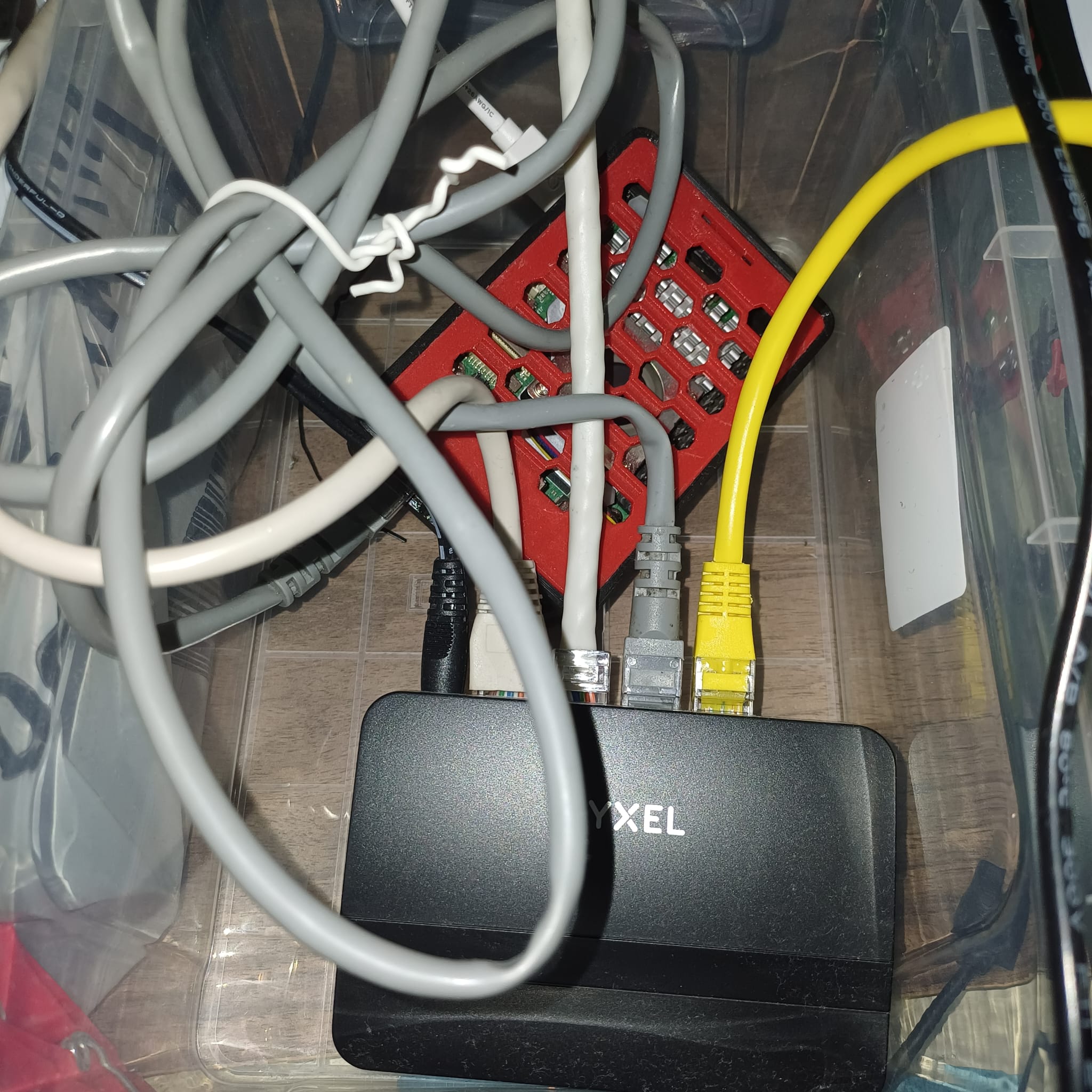
Raspberry Pi Server
- Model: Raspberry Pi 5 8GB
- CPU: Broadcom BCM2712, 2.4GHz quad-core 64-bit Arm Cortex-A76 CPU (512KB L2, 2MB L3 cache)
- GPU: VideoCore VII GPU with OpenGL ES 3.1 and Vulkan 1.2 support
- Memory: 8GB LPDDR4X-4267 SDRAM
- Network: Gigabit Ethernet, dual-band 802.11ac Wi-Fi, Bluetooth 5.0 / BLE
- Storage: microSD card slot (SDR104 mode supported)
- Storage Card: 1TB TEAMGROUP GO MicroSDXC
- Cooling: Raspberry Pi Active Cooler
- Case: 3D Printed Case (Thingiverse) — produced via external 3D printing service
- Connection: Connected to the local network via Ethernet
The Raspberry Pi server is used for running lightweight services with minimal power consumption.
Network Switch
- Model: Zyxel GS-105S v2 5-Port Gigabit Switch
- Use: Housed together with the Raspberry Pi server, providing LAN connectivity.
TrueNAS Server
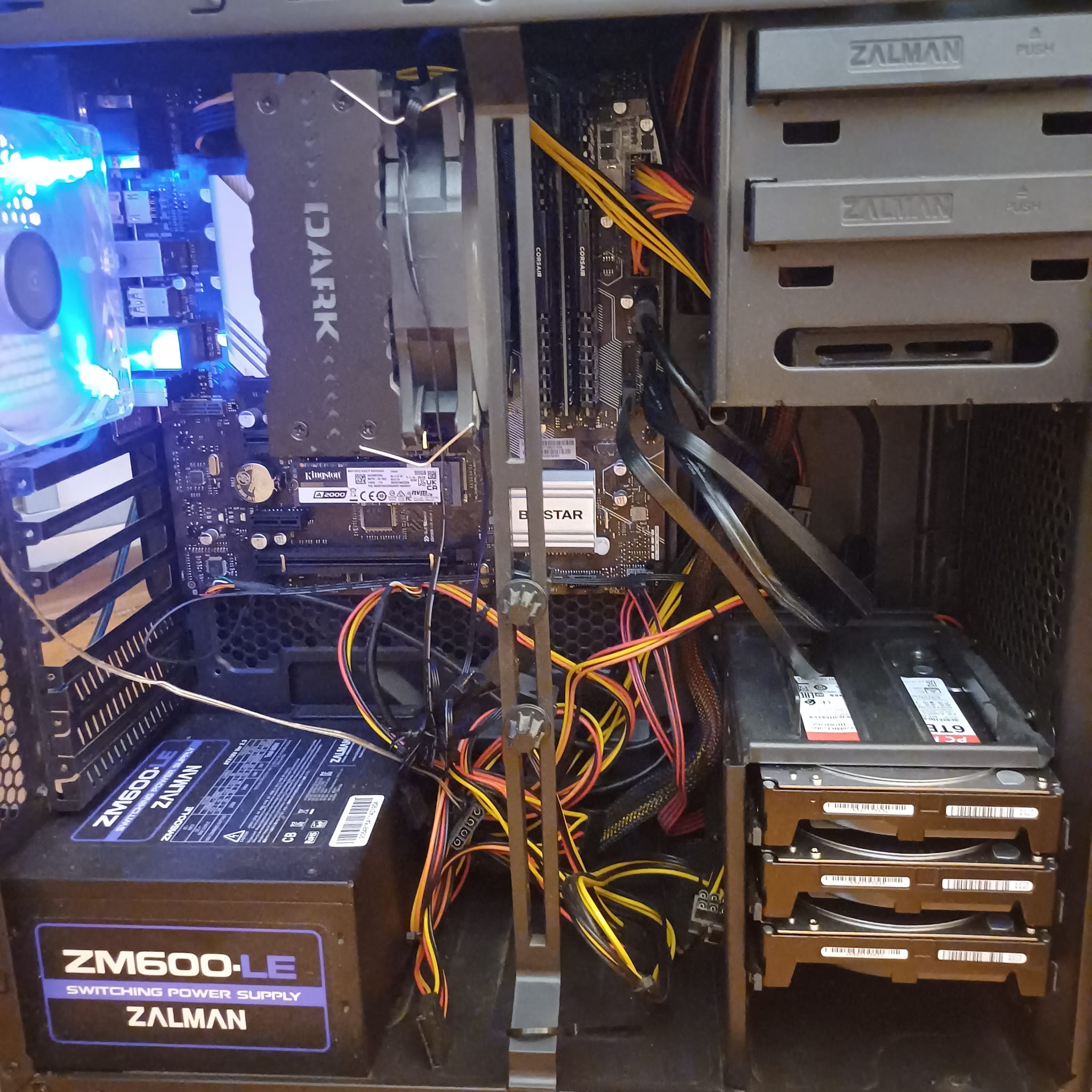
Chassis & Components:
- Motherboard: Biostar B560MX/E Pro (DDR4 4000, LGA1200)
- CPU: Intel Core i5-11600K @ 3.9GHz, 6 cores / 12 threads
- Graphics: Integrated Intel UHD Graphics 750 (iGPU)
- RAM: 80GB DDR4 (2 × 8GB + 2 × 32GB)
- Storage:
- Main pool: 3 × 6TB HDD (RAIDZ1 configuration, ~12TB usable)
- Boot disk: 465GB NVMe SSD
Network:
- Gigabit Ethernet connection
- Managed via static IP in the local network
- Connected through the same switch as other devices
System:
- OS: TrueNAS SCALE 25.04
- Filesystem: ZFS (mainpool & boot-pool)
- Management: Web UI + SSH
TrueNAS is an open-source NAS (network-attached storage) solution that uses the ZFS filesystem to ensure data integrity. ZFS provides features like integrity checks, snapshots, and easy scalability to minimize data loss risks. RAIDZ1 is a RAID level that combines at least three disks, protecting against the failure of a single drive. This configuration balances performance, data security, and efficient storage use. TrueNAS also offers a user-friendly web interface for easy configuration and management.
Rented Cloud Server (Vienna / Netcup)
- Location: Vienna, Austria (Netcup Data Center)
- CPU: AMD EPYC 7282 (Rome) – 8 vCPUs
- RAM: 16GB DDR4
- Disk: 512GB NVMe SSD
- Network: 2.5 Gbit shared uplink
- Infrastructure: Debian 13 (Stable) with Docker + Docker Compose
All services on this server are managed through Docker Compose.
The portfolio website is served via Caddy reverse proxy, and applications such as CouchDB, Webtop, and Filebrowser run in containerized form.
In addition, all configuration and data inside the docker directory are backed up daily to the local TrueNAS SCALE server using rclone in a one-way sync setup.
This ensures that even in the event of a server failure, all configurations and data are safely preserved.
Migration to a Simplified, Container-Based Architecture
The previous multi-layer architecture — built on a rented Proxmox host with nested virtualization, OpenVRT, and a Windows-based VM — served as an important learning phase, giving me valuable hands-on experience with Proxmox, hypervisors, and practical networking. However, this structure was overly complex for long-term maintenance. It has now been replaced with a single, clean, container-based server architecture, where all services run through Docker + Docker Compose. Thanks to this setup, adding a new service is as simple as updating a Compose file and creating the corresponding Caddy reverse-proxy route.
- A full replica of the new architecture was first built and validated locally using
aozturk.testDNS overrides. - After successful testing, a new Netcup server was provisioned and the same Compose-based stack was recreated there.
- All configurations, volumes, and data directories were migrated into the new structure.
- Once everything was verified, DNS records were updated, seamlessly switching traffic to the new production environment.
Software & Services
TrueNAS SCALE (catalog applications)
| Service | Description |
|---|---|
| Bazarr | Subtitle automation (integrates with Radarr/Sonarr) |
| Collabora | Online Office/WYSIWYG editing integrated with Nextcloud |
| ConvertX | Video conversion/archive transcoding service |
| Dashdot | Server hardware & disk health dashboard |
| FlareSolverr | Captcha/Cloudflare bypass proxy |
| Homarr | Personalized homepage/dashboard |
| Homebox | Asset inventory management (hardware, licenses, etc.) |
| Jellyfin | Local media streaming (movies, TV shows) |
| NetbootXYZ | Network-based OS/ISO deployment (PXE boot) |
| Nextcloud | Personal cloud storage & calendar sync |
| Open-Speed-Test | LAN/WAN speed testing tool |
| Prowlarr | Torrent/usenet indexer manager |
| qBittorrent | Web-based torrent client |
| Radarr | Automated movie download manager |
| Sonarr | Automated TV show download manager |
Raspberry Pi (Docker / Portainer containers)
| Service | Description |
|---|---|
| Portainer | Visual management panel for Docker |
| Heimdall | Simple link-launcher homepage / app hub |
| Redmine | Project & issue tracker (Ruby on Rails) |
| WG-Easy | Quick WireGuard VPN server setup |
| pi-db | Lightweight MariaDB database service |
| SCM-Manager | Lightweight Git/Mercurial/Subversion server |
| WOLweb | Wake-on-LAN web interface |
| qBittorrent | Secondary/backup torrent client |
| Watchtower | Automatic Docker container updates |
Services Running on the Rented Server (Vienna / Netcup)
| Service | Description |
|---|---|
| Debian 13 | The main operating system hosting the entire infrastructure |
| Caddy | Reverse proxy with automatic SSL management |
| CouchDB | Synchronizes Obsidian notes using LiveSync |
| Webtop | Browser-accessible web desktop environment |
| Authelia | 2FA-enabled authentication layer for necessary services |
| WireGuard + AdGuard Home | VPN access combined with ad/tracker blocking |
| OpenSpeedTest | Internet speed testing service |
| Filebrowser | Web-based file management interface |
| Game Servers | CS 1.6 (ReHLDS), Minecraft, and other hosted game servers |
All services are managed through Docker Compose.
Roadmap
The following tasks outline my primary goals for evolving my HomeLab infrastructure to be more sustainable, flexible, and secure:
- Expand storage: Increase disk capacity to expand the main pool and test SSD cache/disaster recovery setups if needed.
- UPS installation: Minimize data loss risks during power outages and ensure safe shutdown of RAID pools.
- Network security: Deploy an open-source firewall distribution like OPNsense to segment the internal network, monitor traffic, and apply advanced rule management.
- Virtualization: In addition to the existing TrueNAS setup, deploy a separate virtual server on Proxmox to manage containers, VMs, or testing environments more flexibly.
- Rack cabinet: Set up a 16U rack cabinet to centralize server and network hardware for space efficiency and better manageability.
- Physical organization: Optimize cable management, switch placement, and chassis airflow to maximize cooling efficiency.